Network Devices: Part 2: Repeater, Hub, Bridge and Switch
Repeater and Hub
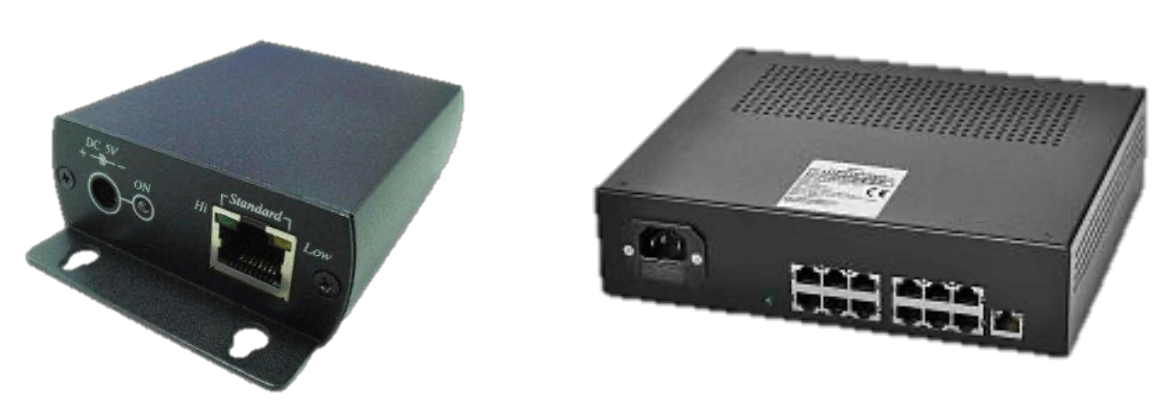
Repeater is an electronic device that receives a signal and retransmits it. Repeaters are used to extend transmissions so that the signal can cover longer distances (Image on left)
Hub is a network hardware device for connecting multiple Ethernet devices together and making them act as a single network segment. It is a multiport repeater (Image on right)
How repeater and hub works
At a basic level, a repeater functions through a two-step process: receiving the signal and retransmitting it. The received signal is first amplified to restore its original strength and then immediately retransmitted to the next point on the network. This allows data to be sent across longer distances without degradation.
Hub works by repeating
Bridge
A network bridge is a computer networking device that creates a single aggregate network from multiple communication networks or network segments. It works in the data-link layer of the OSI model.
Transparent bridges - connects networks with common protocols of the channel and physical layers of the OSI model.
Translating bridges – connects networks with various data link and physical layer protocols.
Encapsulating bridges – connects networks with common protocols of the channel and physical layers through networks with other protocols.
How bride works
Advantages and disadvantages of bridge:
Advantages:
- collision domain restriction
- delay frames addressed to the node in the sender segment
- restriction of transition from domain to domain of error frames
Disadvantages:
Bridges increase network latency by 10-30%. This increase in latency is due to the fact that the bridge during data transfer requires additional time to make a decision.
Switch
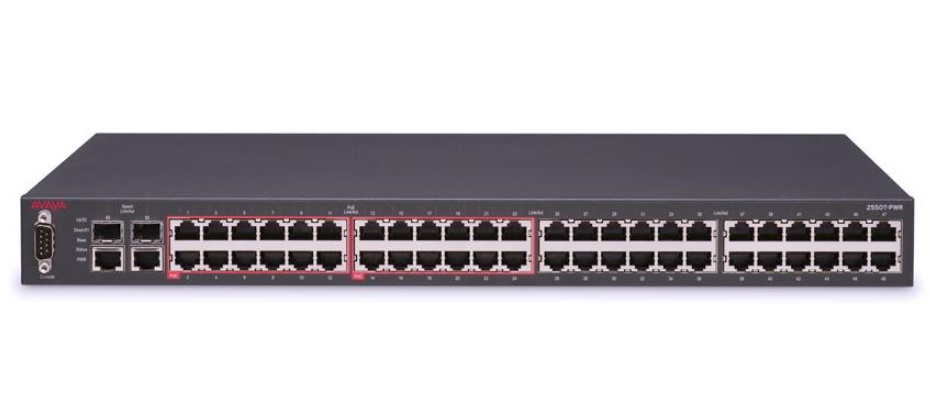
A network switch is a multiport network bridge that uses MAC addresses to forward data at the data link layer of the OSI model.
Unlike less advanced repeater hubs, which broadcast the same data out of each of its ports and let the devices decide what data they need, a network switch forwards data only to the devices that need to receive it
There are three ways of switching:
Advantages and disadvantages of switch:
Advantages:
- They help in reducing workload on individual host PCs.
- They increase the performance of the network.
- Networks which use switches will have less frame collisions. This is due to the fact that switches create collision domains for each connection.
- Switches can be connected directly to workstations.
Disadvantages:
- They are more expensive compare to network bridges.
- Network connectivity issues are difficult to be traced through the network switch.
- Broadcast traffic may be troublesome.
- Proper design and configuration is needed in order to handle multicast packets.